OKX API Application
1
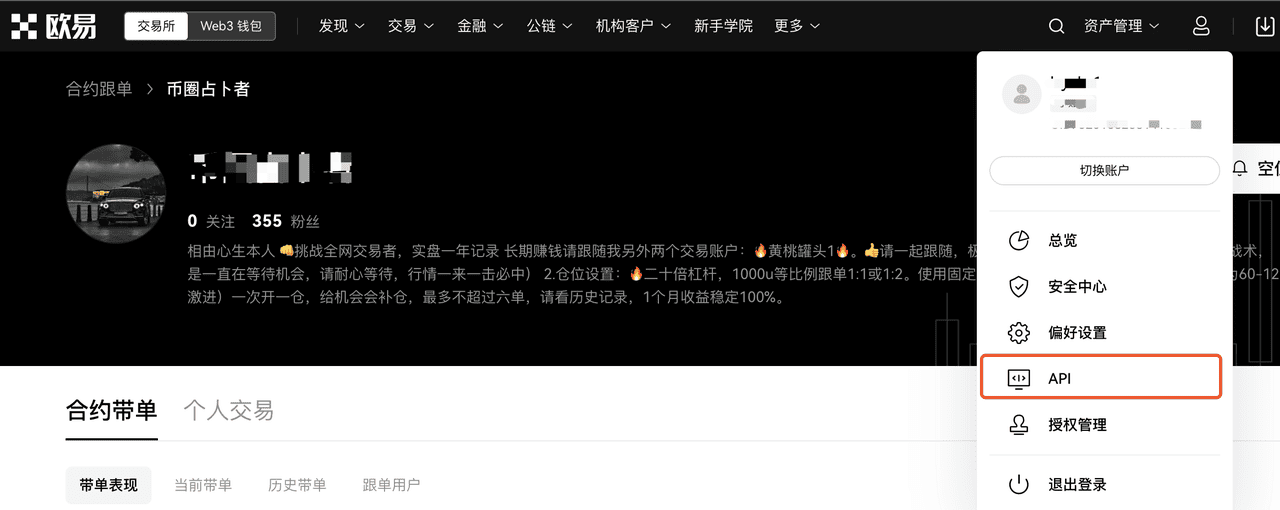
Log in to the exchange and open the API section
2
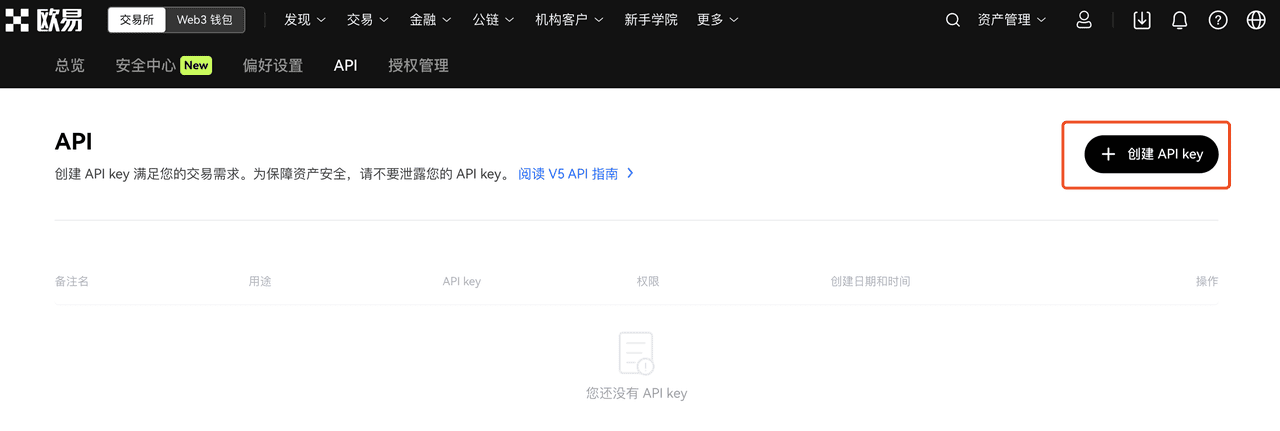
Click Create API
3
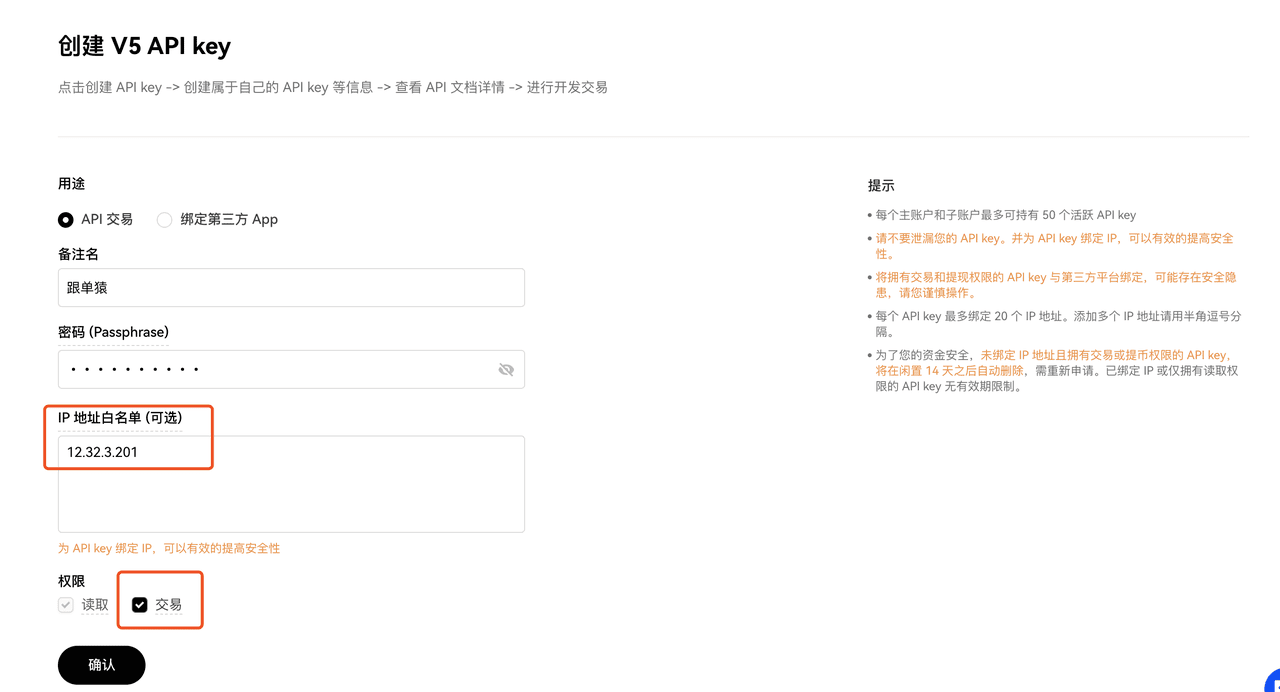
Fill in the API configuration
For security reasons, CopyApes requires users to enter a fixed overseas IP when applying for a live trading API, to reduce the risk to your account if the API is leaked. The CopyApes backend provides a channel to obtain a fixed overseas IP.
The API must be granted trading permissions; otherwise trading cannot proceed.
Be sure to remember the Passphrase you set—you will need to submit this field later!
4
View and save the API information
Return to the API section, click to view the API information, then record it and enter it in the CopyApes backend.
